
Yes. Asmbly starts from the grade, subject, syllabus, competencies and timetable, then keeps lesson drafts connected to what still needs to be covered.
Asmbly Planner
The teacher's week, connected from timetable to classroom.
Plan from the real week ahead, prepare curriculum-aligned lessons, create activities, teach with the guide open and keep learner information connected to work already completed.
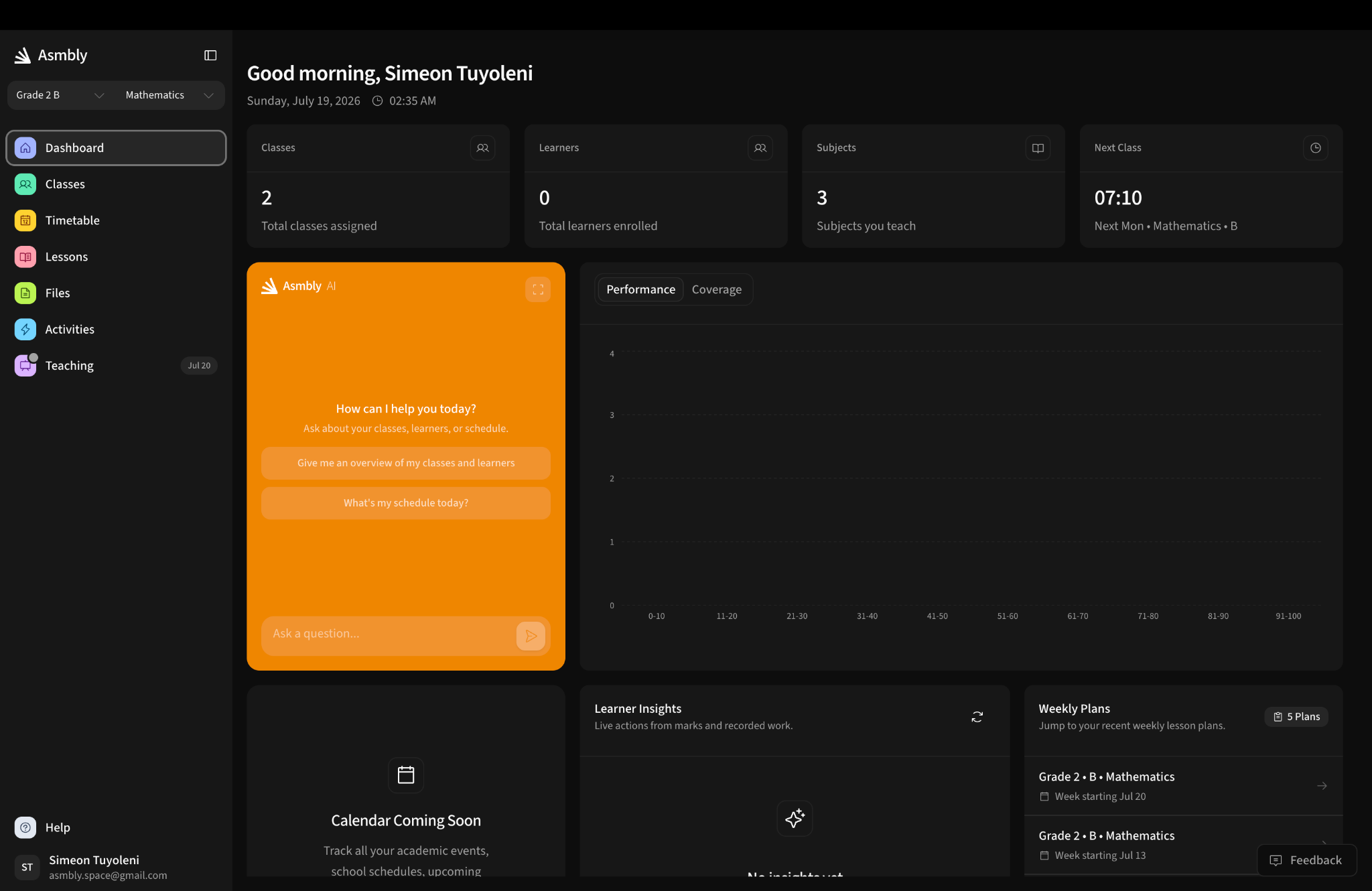
Timetable first
The week determines what needs attention next.
Curriculum connected
Topics, competencies and lesson objectives stay together.
Teacher controlled
Every plan can be reviewed and adjusted before class.
Classroom evidence
Activities, marks and attendance support the next decision.
01Inside the Planner
Five connected steps, one workflow.
Each screen reuses what the previous one already knows — the class, the syllabus, the objectives and the learners.
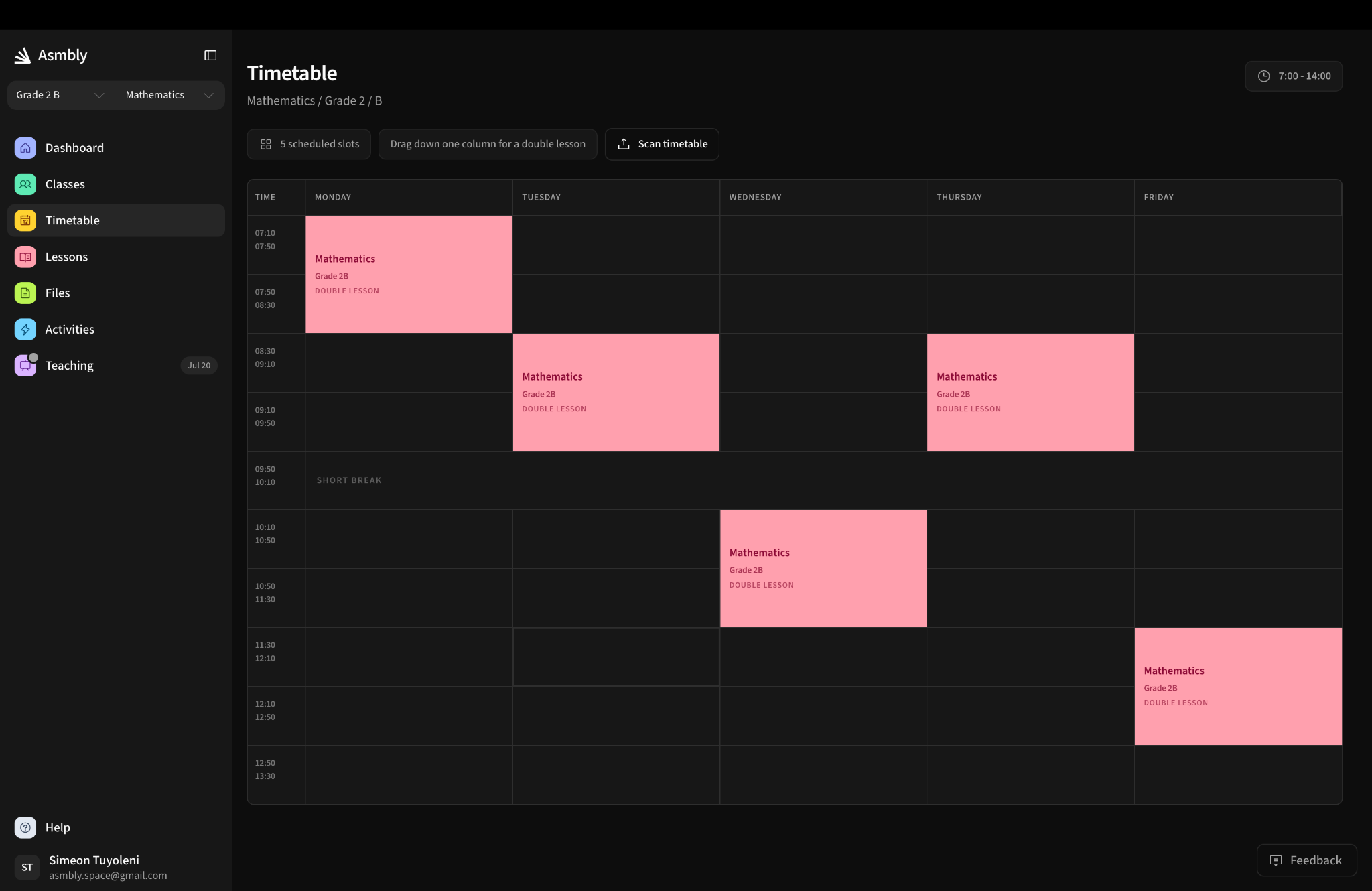
01 · Timetable
See the real teaching week before you prepare it.
Scheduled classes become the starting point. Teachers see the period, class and subject that need a lesson rather than managing another separate planning calendar.
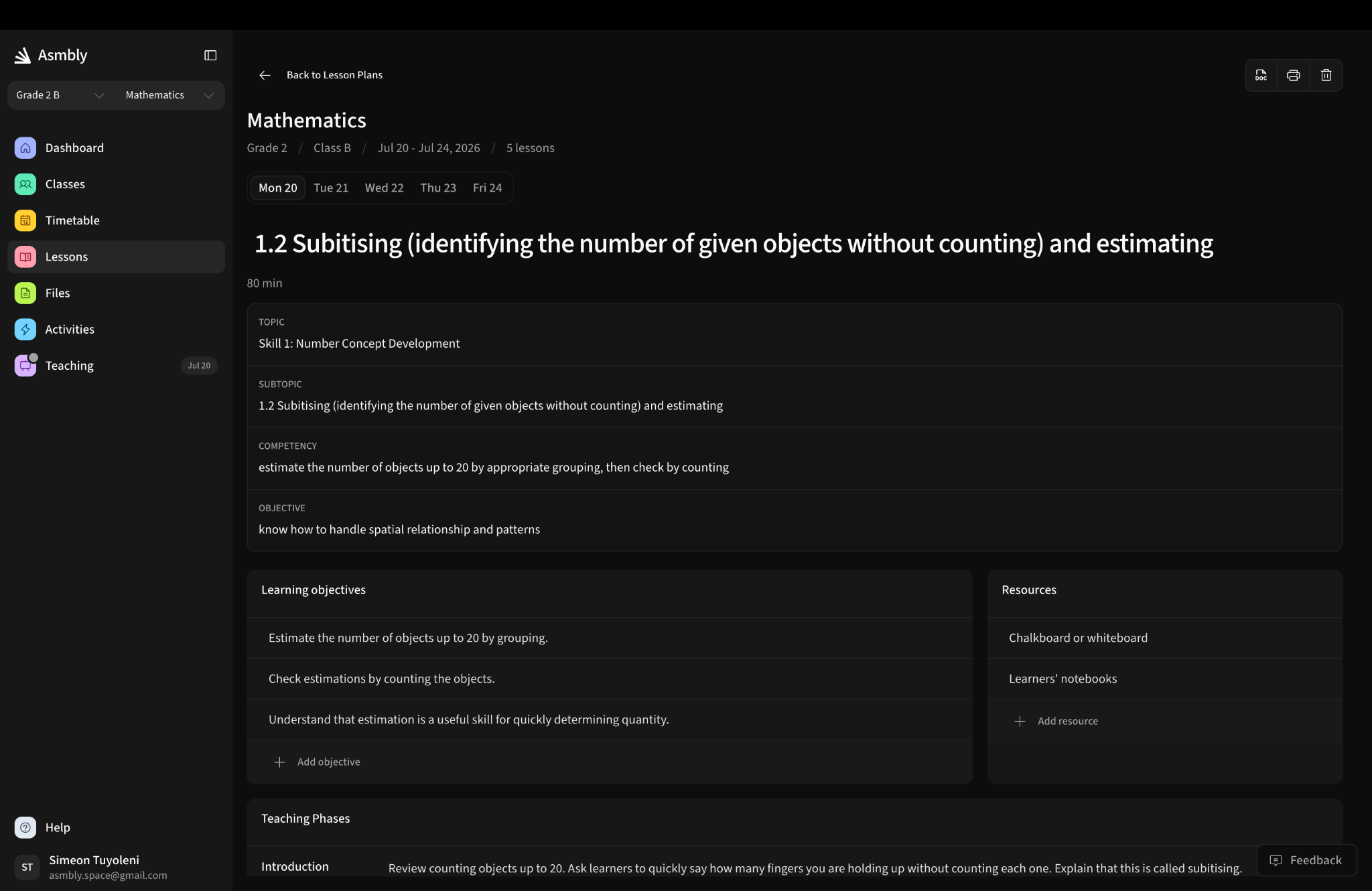
02 · Lesson planning
Keep the curriculum and the lesson in the same place.
The plan carries the topic, subtopic, competency, objective, learning objectives, resources and teaching phases. Review, edit, print or continue into the classroom guide.
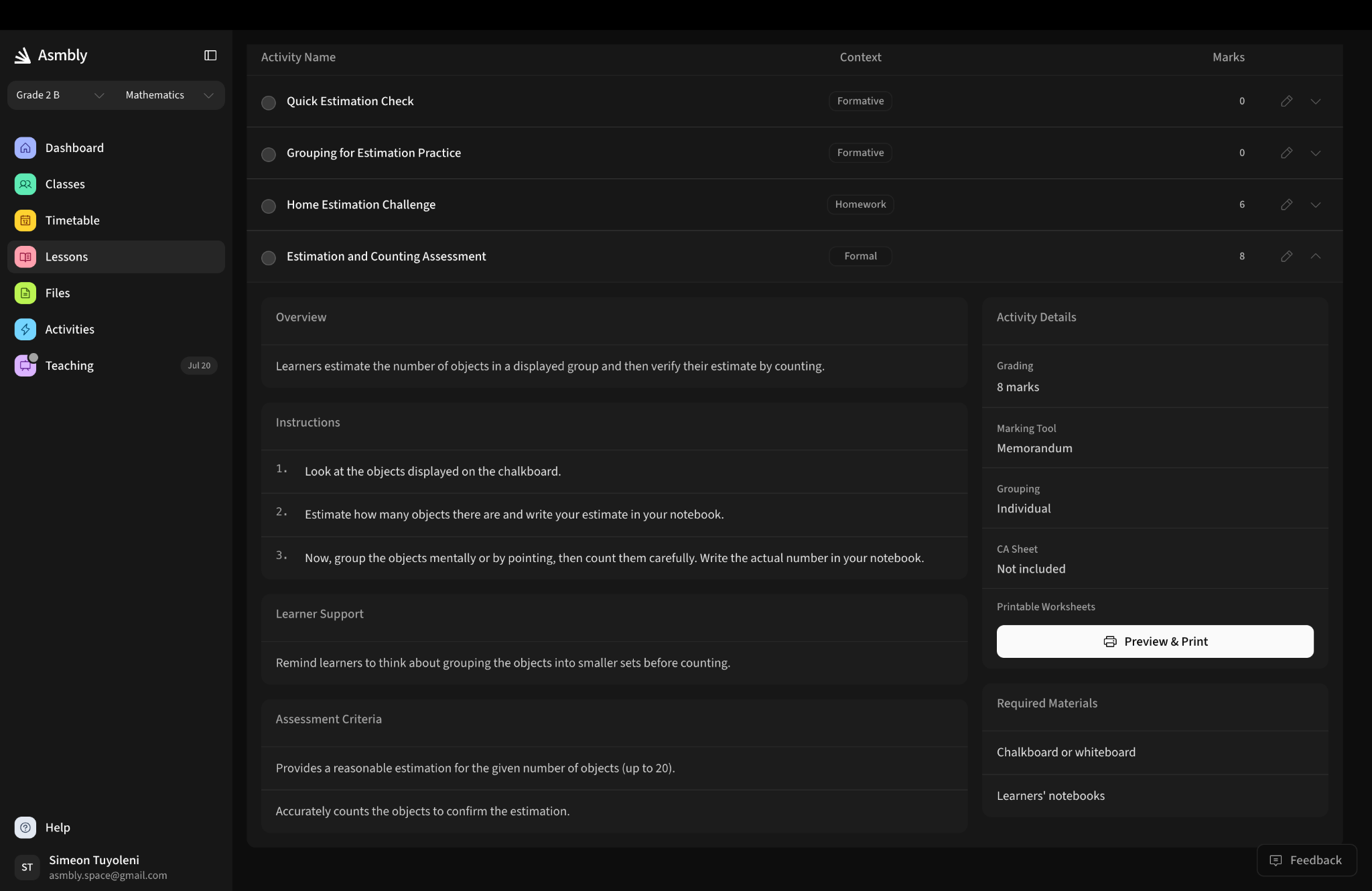
03 · Activities
Prepare the activity without rebuilding the lesson.
Activities, instructions, assessment criteria, learner support, required materials and printable worksheets are generated from the lesson context and remain editable.
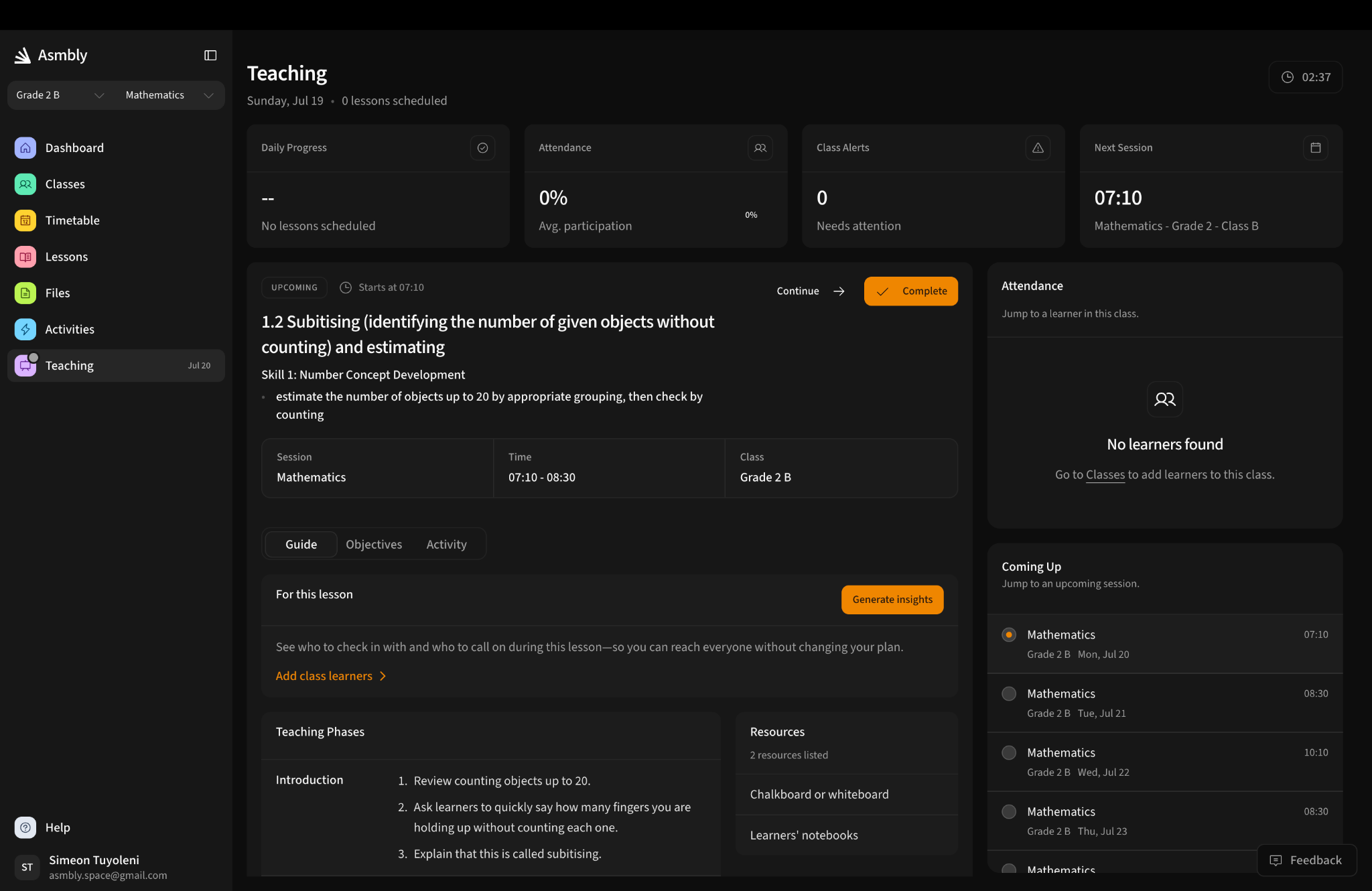
04 · Teaching
Use the same lesson when the class begins.
The teaching view brings the current lesson, phases, resources, attendance and upcoming sessions into one place, so preparation does not disappear when teaching starts.
05 · Learner support
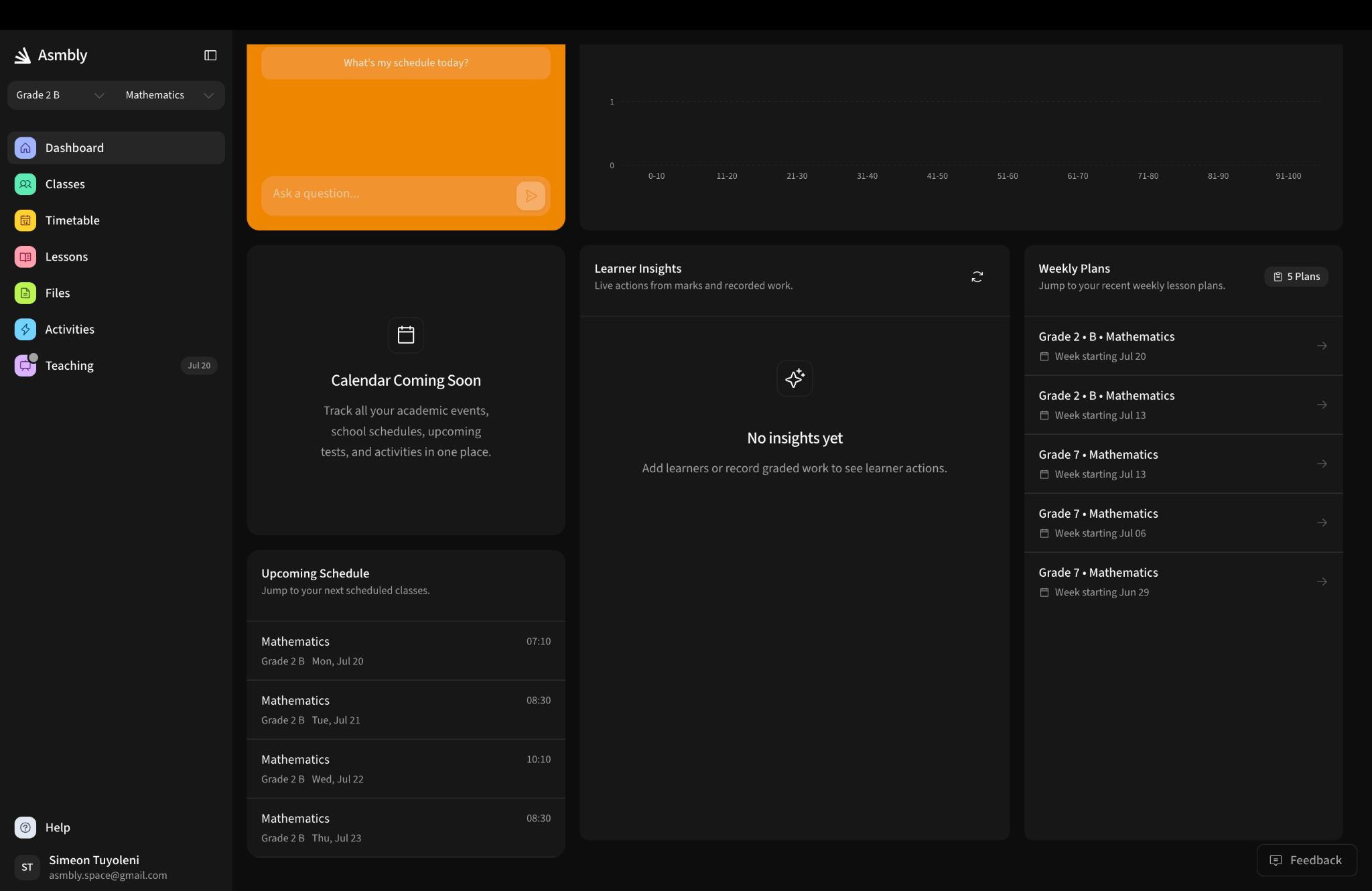
Let classroom records lead to a practical next step.
The dashboard connects weekly plans, schedule, class performance and learner insights. As real information is recorded, teachers can see where attention may be needed.
02Why not just documents
What the Planner holds together.
Documents and generic AI both lose the context between one step and the next. That context is the whole point.
| The capabilityWhat you need | ADocs & files | BAsmbly | CGeneric AI |
|---|---|---|---|
| Starts from your real timetable | No | Yes | No |
| Aligned to the official syllabus | Yes | Yes | No |
| Lesson, activity and assessment stay connected | No | Yes | No |
| Teacher edits and approves every plan | Yes | Yes | Yes |
| Marks, attendance and progress in one place | No | Yes | No |
| Reports assembled from work already done | No | Yes | No |
| Keeps working through poor connectivity | Yes | Yes | No |
?Questions teachers ask first
The platform has to respect the classroom it enters.
Start the conversation
Let's get your teaching week organised.
Open Asmbly Planner, set up your timetable and prepare the week from where your class actually is.